As you’ve been working with modules in the Administrator area of your website, you’ve most likely seen the Module Class Suffix field under Advanced Options. This is one of those boxes in Joomla that many people often ignore because they have no idea what it really does. This is a shame as it can be one of the most useful features for customizing your Joomla website.
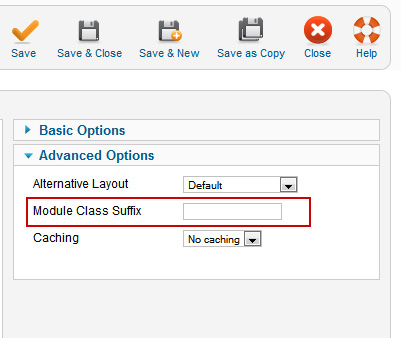
To specify your own style, you’ll need to create one in your template’s CSS file and then reference that style in the Module Class Suffix field. You do need to know some CSS for this, but luckily the learning curve for this particular task is not too steep. Some basic CSS styling knowledge is all that you will need in addition to knowing how and where to place your new code.
As the process is exactly the same whether you are developing your own template or modifying an existing one, we’ll demonstrate with a module already in place. This is a basic login module we have loaded up that we’ll add just a bit of custom styling to using the process just mentioned.
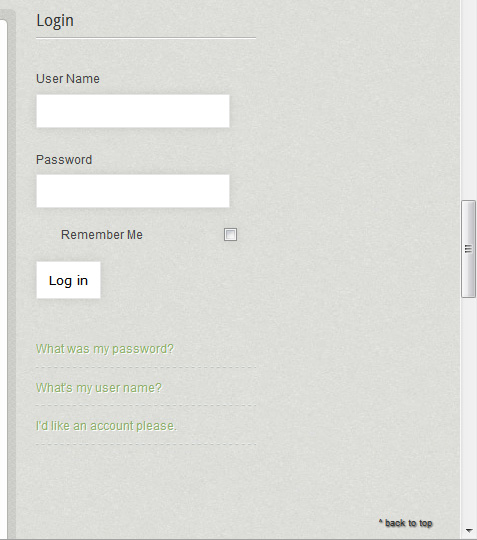
Before showing the sample code we’ll use, I want to call your attention to two things. First, if you have no CSS knowledge and have no idea where to get it, Googling “CSS Tutorial” will return a remarkable number of results, and many of them are more than you will need for this job. Secondly, I want to encourage you to get comfortable with using the Firefox extension, Firebug. It’s an amazing time saver, and again, there is plenty of info on the Web regarding its use.
So, we will be doing just a few things here for our demonstration. We’ll add a small border around the module, change the background color and adjust the link color as well. The possibilities of what you can do with your module styling are enormous. So much so, that it’s easy to get sucked into making changes for their own sake. Try to stay focused and make your adjustments for a good purpose, such as drawing your visitors’ eyes toward a sign up module.
In our main CSS file I will add these lines to the very bottom:
.moduletable_custom1 { padding: 8px; border: 1px solid #2e2e2e; }
.moduletable_custom1 { background-color: #BBBFB8; }
.moduletable_custom1 a { color: #2e2e2e; text-shadow: 1px 1px 0 #fff }
You’ll notice that I’ve taken “.moduletable” and just added “_custom1” to the end of it. This will give me a module style called “_custom1” that I can use in the Administrator area of Joomla to style my modules very easily.
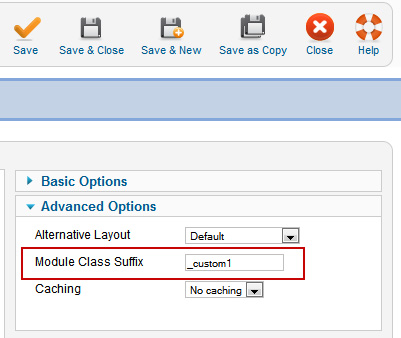
And now when I refresh the page on the front end we have this:
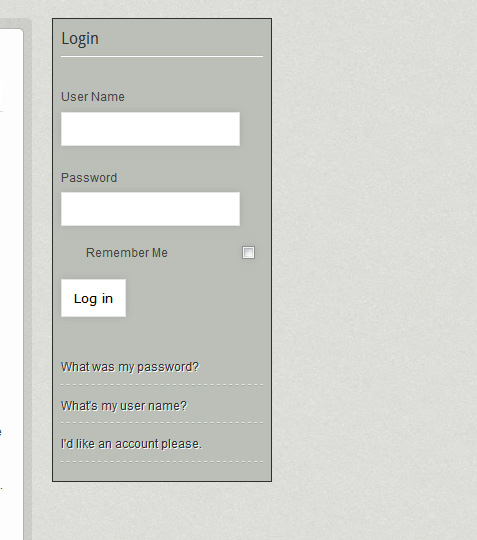
It’s not an amazing design, but we only used three simple lines of CSS code, and you can see the possibilities very easily with this.
So why would you take the time and energy to do this in the first place? Well, one of the main and most obvious reasons is to give your page depth and style, but you might also want different styles for something specific like a “call to action” so it stands out from the page and grabs your visitor’s eye. We always think in terms of how form (including design) and function connect. You can spend loads of time developing a module style with the “perfect” colors, border and shading, but if it doesn’t accomplish a goal on your page, such as more conversions or fewer bounces, then spend that valuable time elsewhere.
In two weeks we’ll discuss how to create form fields.