Allowing people to comment on the articles you publish can seem scary at first. However it adds value to your content and search engines arguably favour sites with comments. Let's have a look at how to add a popular third party comments service called Disqus to your Joomla site.
- Register for a an account at Disqus
- Download the Disqus Comments for Joomla extension at JoomlaWorks
- Install it into your Joomla site (how to install Joomla extensions is demonstrated in our free Joomla tutorials)
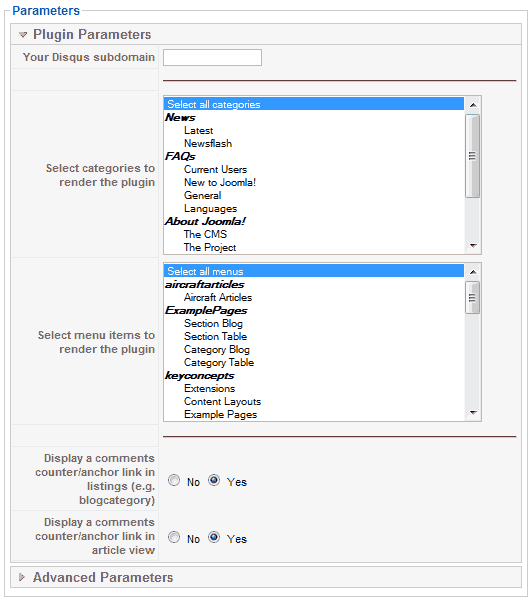
- Enter your Disqus sub-domain into the parameter settings
- You do not have to use the comments for all your articles. If you only want to include this with your blog articles, you can restrict this to particular categories or menu items. Just click on your desired categories or menu items.